
If you have comment active on your WordPress site but you dont want to keep website field then this might help you.
There is some plugin to do it but we are going to show with simple custom code as always.
Put this code on you theme functions.php file and you will see website field gone.
Functions.php
add_filter('comment_form_default_fields', 'unset_url_field');
function unset_url_field($fields){
    if(isset($fields['url']))
       unset($fields['url']);
       return $fields;
}
Now comment from might look like this. Look on remembering user text show “save my name, email, and website” it funny as you did not have any website field.
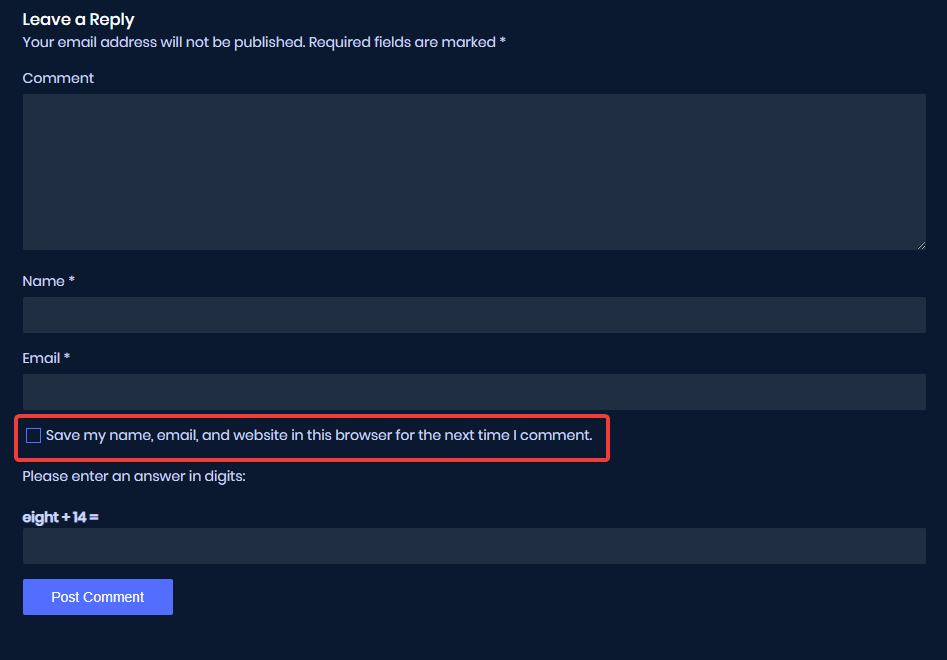
So, now let change this text to just simple Remember Me! and here is your code
Functions.php
add_filter( 'comment_form_default_fields', 'mukto_comment_save_text' );
function mukto_comment_save_text( $fields ) {
	$commenter = wp_get_current_commenter();

	$consent   = empty( $commenter['comment_author_email'] ) ? '' : ' checked="checked"';

	$fields['cookies'] = '<p class="comment-form-cookies-consent"><input id="wp-comment-cookies-consent" name="wp-comment-cookies-consent" type="checkbox" value="yes"' . $consent . ' />' .
					 '<label for="wp-comment-cookies-consent">'.__('Remember Me!', 'textdomain').'</label></p>';
	return $fields;
}
if you want to remove that checkbox completely this can help
Functions.php
add_filter( 'comment_form_default_fields', 'wc_comment_form_hide_cookies' );
function wc_comment_form_hide_cookies( $fields ) {
	unset( $fields['cookies'] );
	return $fields;
}
That’s all, Read our Cookie Popup with jQuery tutorial to accpet cookies permission

2 Comments
Thank you very so much !!
I spended several hours trying to remove that !!!
Happy to know that, it’s helpful for you.